reneph.de
Aftermath
Aftermath
macOS · Dev cache cleaner

Get your gigabytes back.

Xcode, Android Studio, Gradle, simulators and AI coding agents quietly pile up tens of gigabytes on your Mac. Aftermath finds all of it in one scan and tells you exactly what is safe to remove.
Download on theMac App Store
Free to scan·App Sandbox·no account
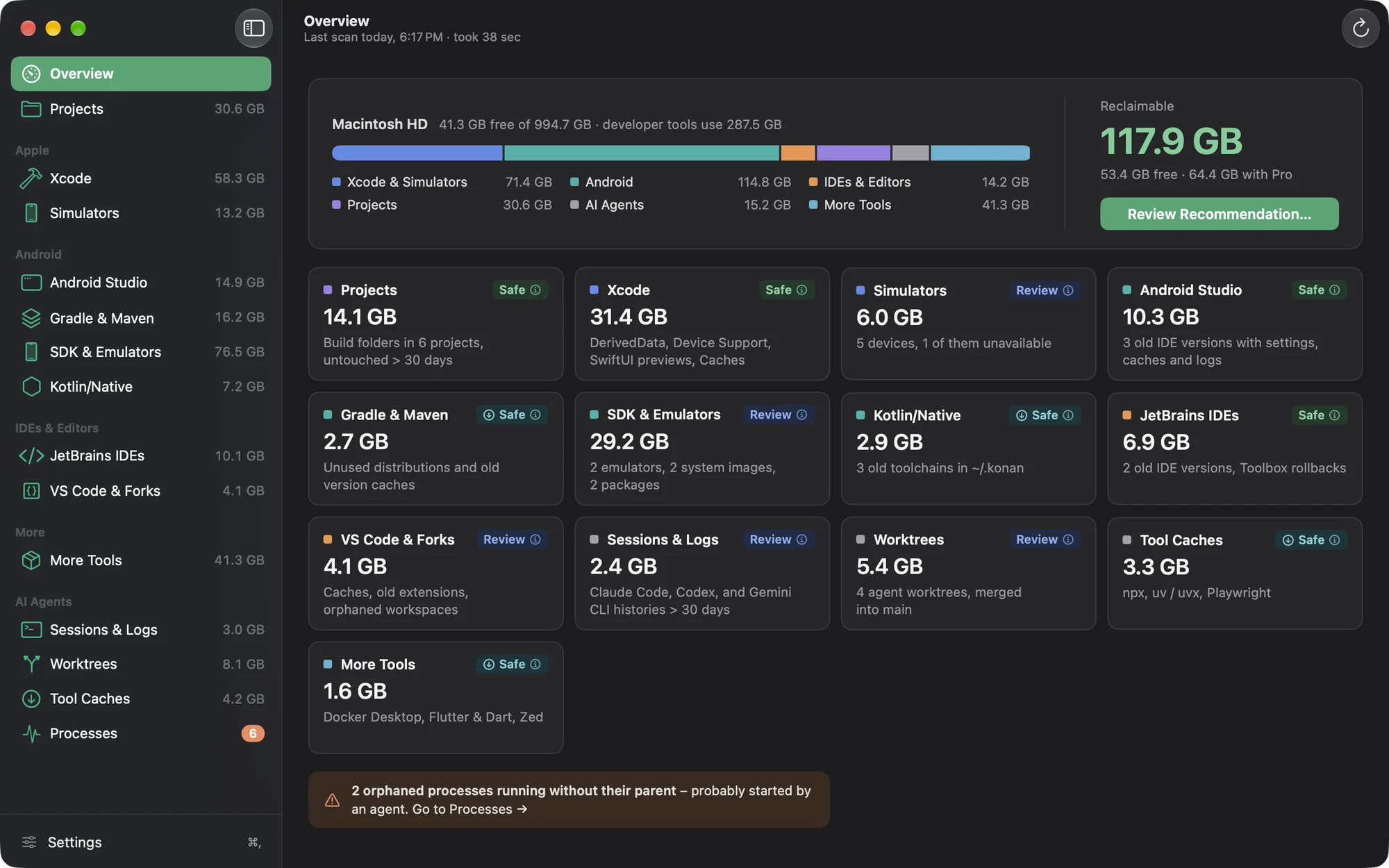
Aftermath overview: 117.9 GB reclaimable across Xcode, Android, projects, IDEs and AI agents
Xcode & SimulatorsAndroidProjectsIDEs & EditorsAI AgentsMore tools
What it does

Your Mac is full, and your dev tools are the reason.

01

One scan, every tool

DerivedData, Device Support, simulators, emulators, Gradle caches, old IDE versions and build folders — all in one overview.

02

Know what you delete

Every item is labelled: safe to delete, rebuilds on the next build, downloads again when needed — or needs a second look.

03

Smart pre-selection

Set your own rules — by age, by last launch, newest versions kept. Aftermath selects only what matches. You always decide.

04

Protects what's running

A running Xcode, Simulator, Android Studio or emulator is detected, and its data stays out of harm's way.

05

Cleans up after AI agents

Session histories and logs of Claude Code, Codex and Gemini CLI, leftover git worktrees and test simulators agents created.

06

Trash, logs & backups

Nothing goes without your confirmation. Irreplaceable items go to the Trash, every cleanup can be logged.

What Aftermath cleans
Xcode & Simulators
DerivedData, Device Support, Previews, simulator devices and runtimes
Android
Old Android Studio versions, SDK packages, emulator images, Gradle, Maven & Kotlin/Native caches
Projects
Build folders of Gradle, Xcode and SwiftPM projects — your source code is never touched
IDEs & Editors
JetBrains IDEs, VS Code, Cursor and other VS Code forks, Zed
AI Coding Agents
Claude Code, Codex & Gemini CLI histories, worktrees, tool caches
More
Flutter & Dart, Docker Desktop, OrbStack, orphaned emulators and processes
Private by design

Everything stays on your Mac.

Aftermath runs in the macOS App Sandbox. You grant access to your home folder once, and the app reads only known developer locations. No account, no tracking, no servers of ours.

→
Sandboxed & allow-listed
Every item is checked against a fixed list of permitted locations before removal.
→
No account, no tracking
No analytics, no crash reporting to us, no third-party SDKs.
→
Online only for the purchase
The only connection goes to Apple's App Store for Aftermath Pro.
A closer look

Screens

Review, Xcode, simulators and AI agents — shown here with sample data.
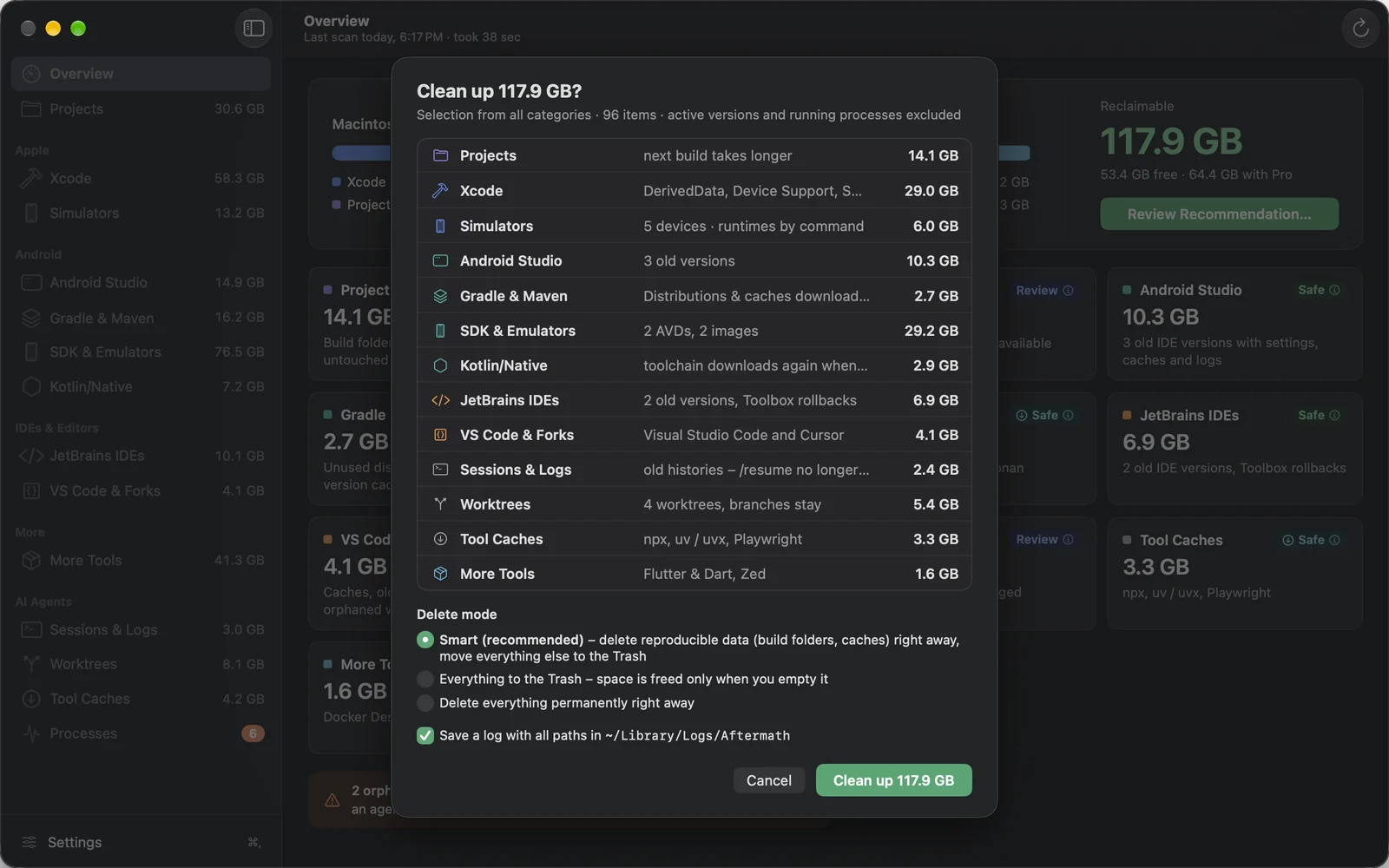
Cleanup summary before deleting 117.9 GB, with delete mode options
Review first · then clean up
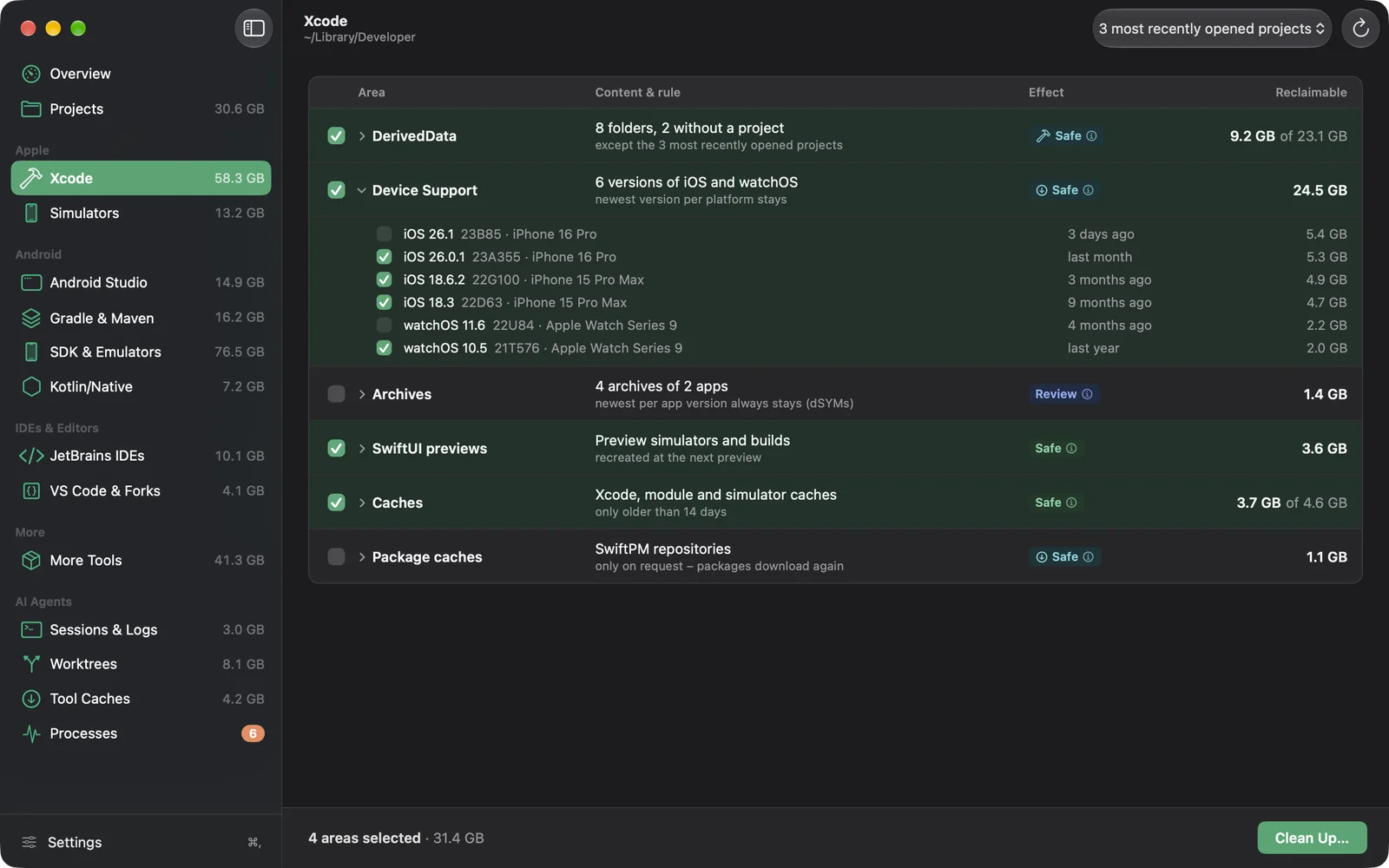
Xcode area: DerivedData, Device Support, archives and caches with rules
Xcode · DerivedData & Device Support
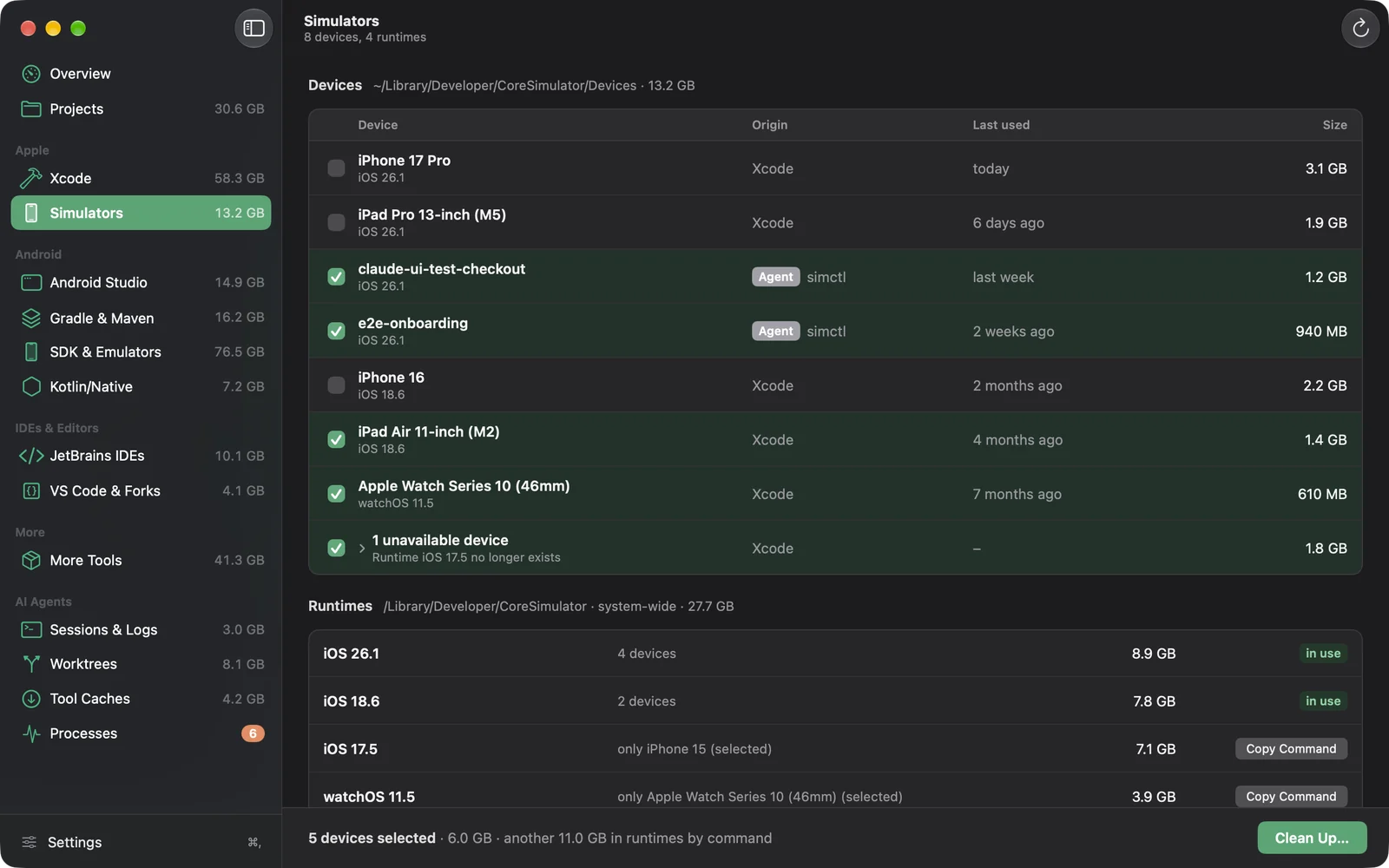
Simulator devices and runtimes, including unavailable ones
Simulators · devices & runtimes
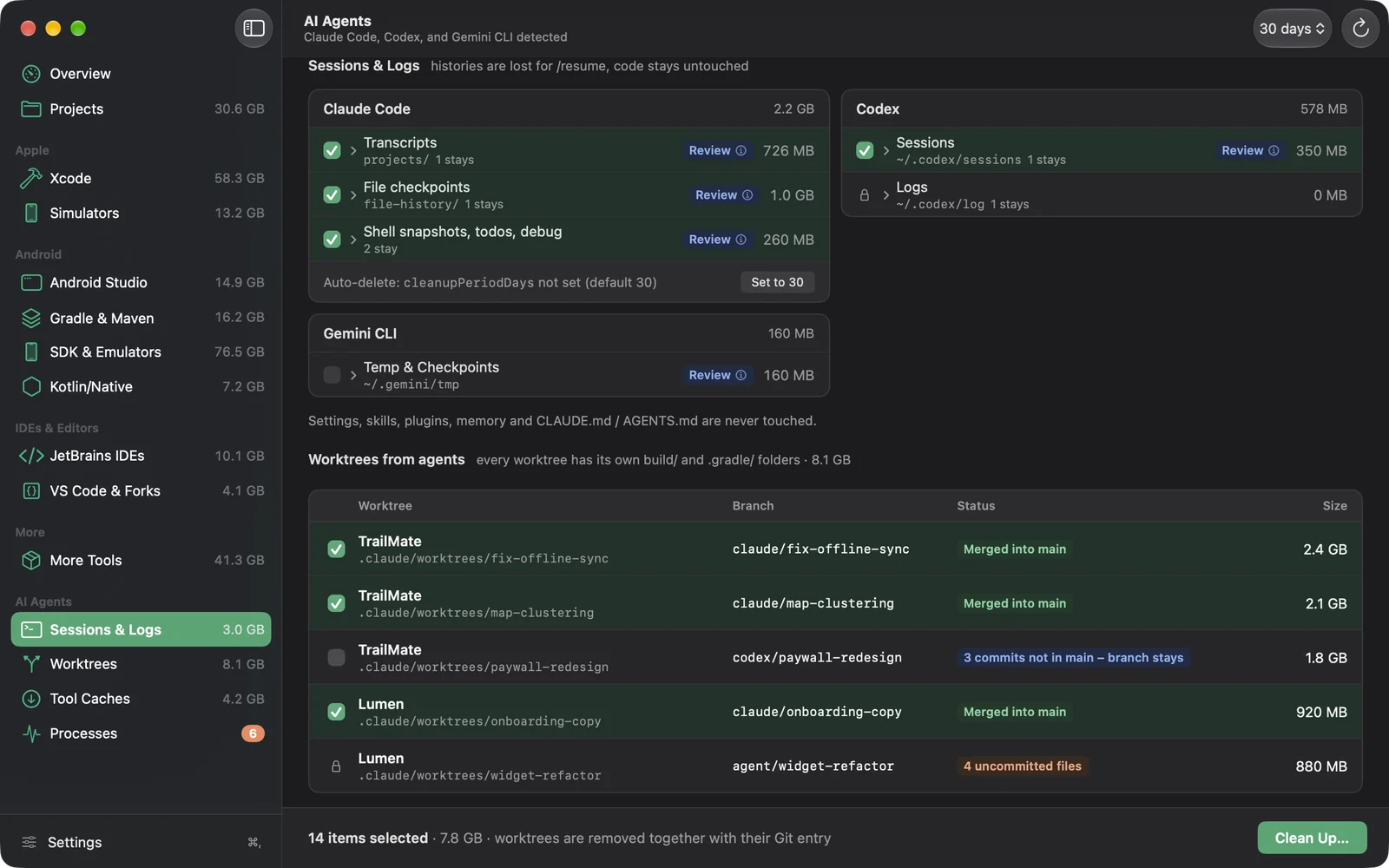
AI agent sessions, logs and worktrees of Claude Code, Codex and Gemini CLI
AI agents · sessions & worktrees
Free & Pro

Scan everything for free. No subscription.

Free

included
  • Scan every category
  • Clean Xcode DerivedData, Device Support & Previews
  • Remove old Android Studio versions
  • Clean project build folders

Aftermath Pro

one-time purchase
  • Cleanup in all other categories
  • Simulators, SDK & emulators, Gradle, IDEs, AI agents and more
  • No subscription — buy once, keep it
  • Family Sharing supported